Nothing matches your selection.
01
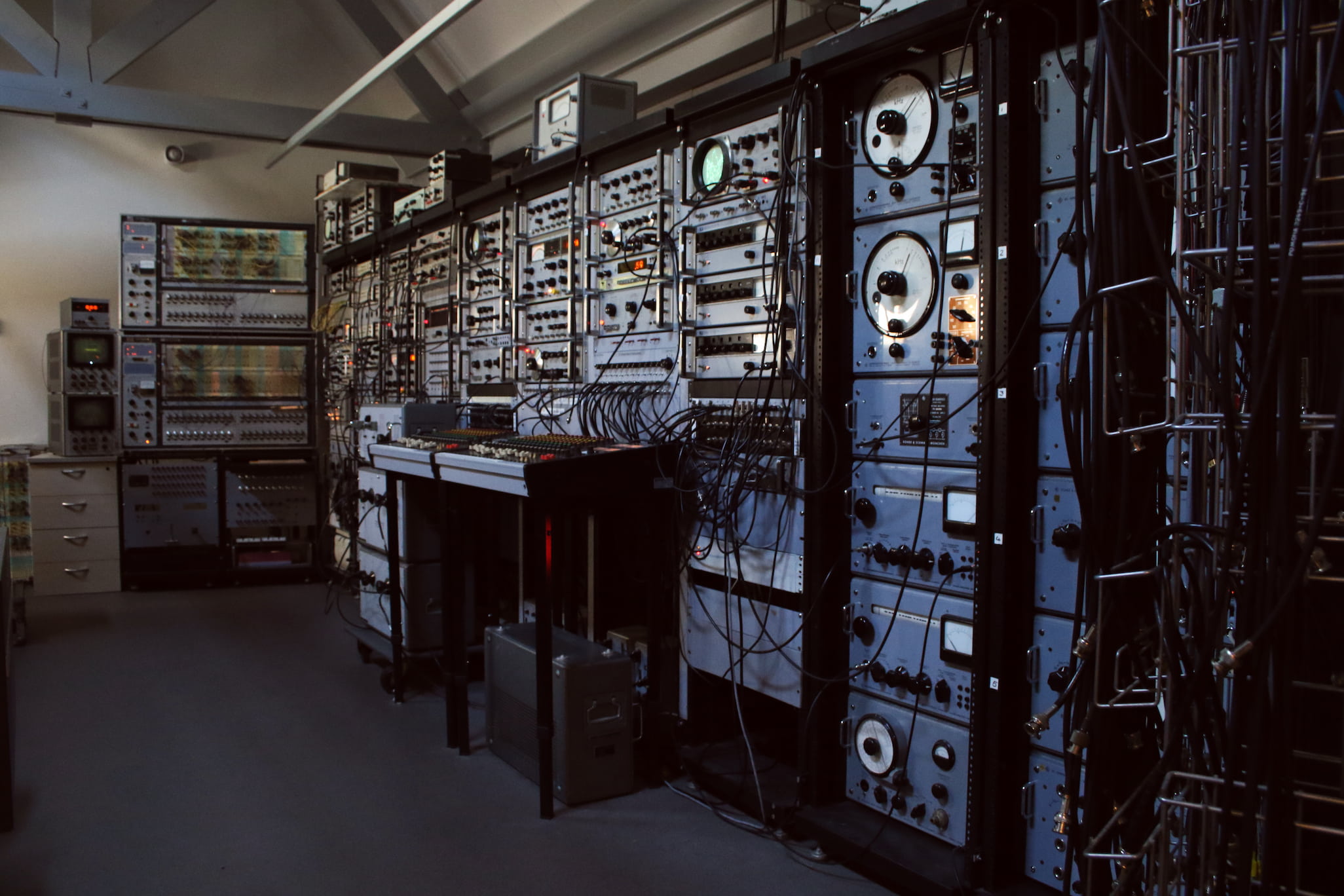
Test & Measurement Equipment
Angel Choir
This patch uses a noise generator shaped through a third-octave filter. Each filtered band is split off and fed back into the filter, creating resonant peaks and emergent tonal behaviour. The result is a choir-like texture formed entirely from noise and controlled resonance.
Word Generator Intro
Word generators are used as a sort of sequencer, with their outputs passing through a selective amplifier acting as a bandpass filter.
Lock-In Amplifier Intro
A pulse signal is sent through a lock-in amplifier, and the output frequency-modulates a sine wave. Adjusting the mixer faders lets you experiment with textures and interactions of different outputs.
Wave Analyser Intro
A pulse signal processed through a lock-in amplifier then a wave analyzer, with the analyzer's output frequency-modulating the original pulse. Routed through a third-octave filter for multiple explorable outputs.
Wave Analyser II
Noise triggers a pulse generator while simultaneously serving as an external trigger for a sweep generator. The pulse output goes through a wave analyzer with frequency modulated by the sweep output.
Boxcar Intro
A word generator passes through a boxcar integrator and modulates a sine wave. All three signals give three outputs to play with.
Boxcar, Lock-In Amplifier & Ring Modulator
A boxcar integrator, lock-in amplifier and ring modulator process a noise signal. Two frequency-controlled sinewaves serve as external outputs for the boxcar and lock-in amplifier.
Boxcar + Bandpass Filter
A pulse generator feeds a boxcar integrator, whose output splits to a bandpass filter, frequency control for a sinewave, and trigger for a triangle wave.
Lock-In Amplifier Soundfield
A series of word generators creates complex rhythms; one output gates a chain of function generators that modulate each other. Two lock-in amplifiers process the output further.
FM + Multipliers
Function generators frequency-control each other to achieve FM synthesis. Playing with waveforms and frequencies creates a wide variety of sounds.
Ultrasonic Modulation
Two multipliers modulate an audio source with two function generators set to the same ultrasonic frequency passing through a wave analyser. Audio fragments used: Chopin, Radiohead, Pat Metheny and Aphex Twin.
Inverting With Analog Computer
A function generator controls the speed of a pulse generator, which passes through a third-octave filter and two inverter patches on the analog computer, feeding back and controlling the function generators.
Universal Programmer
The EG&G model 175 Universal Programmer produces a control voltage controlling various modules, creating uniform rhythmic and melodic structures.
Boxcar + Pulse Generator
The pulse generator triggers the boxcar integrator, whose output splits to generate various rhythmic sounds.
3 Wave Analysers
Three separate wave analysers on different modes create rich soundscapes. Multipliers ring-modulate the outputs of two of them.
WG-Series + Pre-fade LIA
Two word generators patched in series create intricate rhythmic patterns. The LIA through the pre-fader aux generates rich, at times distorted textures.
FM Wavetable
Four word generators modulate each other to create complex waveforms and textures. The audio example explores different waveforms and frequencies.
Input Switch
A switch allows you to alternate between the third-octave filter output and a rolling sound from a low-frequency pulse while playing.
Boxcar As Control Voltage
The boxcar integrator output serves as both audio output and control voltage/trigger input. A word generator controls the BI, clocking all outputs together.
Simple Hi-hat
A simple hi-hat created by shaping noise output with a low-frequency waveform. Note that the phase knob of the function generator that goes into the VCA should be turned to the right, so the original clock keeps control of the tempo.
Function Generator Phase Lock
A function generator creates a frequency sweep. A second, phase-locked generator follows its pitch, often catching harmonics. Phase drift creates unstable beating and occasional harmonies.
Word Generators & Boxcar
A pulse wave clocks two word generators. Adjusting word lengths creates different subharmonic relationships. Outputs fed into a boxcar integrator generate rhythmic beats that shift as word lengths change.
Ringmodulating Noise With Noise
Two noise signals through a bandpass filter are multiplied together. Making them different from one another produces moving textures that pass through the third-octave filter.
Ringmodulation In Series
Two multipliers and a ringmodulator chain a noise signal — ringmodulated multiple times with itself as carrier and modulator.
Noise As Frequency Control
A noise signal controls the frequency of a waveform. The signal then passes through a wave analyser controlled by a different noise generator.
Multiplication & Division
Two noise signals explore the difference between multiplying and dividing signals with a waveform.
Feedback & LIA
A feedback loop created by Studio 1's routing sends the final mixer signal back to the lock-in amplifier, producing uniquely feedbacking textures.
Feedback Amplitude Control
Various audio signals are summed and amplitude-controlled by a sinewave. The output also passes through a lock-in amplifier patched through the pre-fade aux.
Phase Shifted Sines + Boxcar
The sine output of a function generator and its 350° phase-shifted output both pass through two boxcar integrators.
Ringmod Through Chorus
Any audio signal splits — one path through a poly chorus. Original and processed signals are then multiplied. Requires advanced patchbay knowledge. Audio fragments include white noise, Radiohead and James Blake.
External Trigger Noise Generator
Two noise generators, a function generator and a pulse generator trigger each other to create unique rhythms and pulses.
External Mic Third Octave Filter
In this patch a microphone is connected to the main mixer and then sent to submixer A through an aux channel. Once the signal is on the submixer it is sent to the third-octave filter and fed back into the mixer. In this way any sound source can be processed.
Layered Boxcar Modulation
In this patch an audio source (in the audio example a trumpet) gets modulated by a complex noise signal that is generated by two noise generators, a boxcar integrator, and two function generators. In addition to the modulated sound the noise source also enters the mixer.
02
ARP 2500
ARP 2500 Sequencer Intro
The sequencer module of the ARP 2500 modulates an oscillator into a more intricate wavetable.
Cross Modulation & Slow Random
Sequencers, slow randoms, and the sample & hold create complex shifting textures. Parameters range from melodic to abstract noise.
ARP 2500 Introduction Patch
This patch demonstrates the way the oscillators, filters, envelopes and sequencer of the ARP 2500 can be used together and can serve as a good introduction to working with the instrument. Here you will find the patch diagram, demonstrating the flow of the signals, an overview of the matrix of the ARP2500, and a video by Hainbach in which Hans Kulk guides you through creating this patch.
03
ARP 2600 & Other Studio 2
ARP 2600 – Sample & Hold
The sample & hold of the ARP 2600 creates various rhythms. Oscillators pass through the low pass filter and spring reverb which feeds back into the filter.
Oberheim Sequencer + 2 ARP 2600's
The Oberheim sequencer controls two ARP 2600's. The S&H output also controls the filter of one of the ARPs.
Analog Flanger
In this patch an audio source (in this case the Roland Juno-6) passes through two tape recorders before entering the final mix. One of the two recorders' varispeed is modulated by an oscillator from the Serge system. This produces an analog flanging effect.
04
Studio 3 Workstations
Workstation 1 Feedback Drone
A frequency-controlled function generator passes through two filters sent to the tape recorder. The tape output feeds back to the filters. The Roland Signal Processor adds phasing and further feedback.
Workstation 1 Audio Processing
An external audio source processed through the Roland Signal Processor, two filters, and the tape recorder. Effect processor set to modulated reverb; tape recorder creates delay. Example uses an Andrew Huang & Rob Scallon fragment.
Workstation 1 Feedback Drone II
A frequency-controlled function generator and sine generator pass through three filters, all feeding back into the tape recorder and signal processor to create moving soundscapes.
Workstation 5 Violin
The Korg MS 50 connected to the MS-20 keyboard via KBD CV OUT and TRIG OUT. Taken from the Korg MS-50 Owner's Manual.
Workstation 5 Human Voice
Korg MS 50 connected to MS-20 keyboard. Taken from the Korg MS-50 Owner's Manual.
Workstation 5 Automatic Beat S/H
Korg MS 50 used by itself to generate shaped noise patterns via sample & hold. Taken from the Korg MS-50 Owner's Manual.
Workstation 5 Shooting Star
Korg MS 50 generates a sparkling sound triggered by pressing the trigger switch. Taken from the Korg MS-50 Owner's Manual.
Workstation 2 Demo
Improvisation using the clocked instruments of Workstation 2. No fixed patches — a demonstration of how the setup sounds in action. Instruments: Roland TB-303, TR-606, SH-101 & Yamaha CS01.
Workstation 3 Demo
Improvisation using Workstation 3 instruments. Instruments: PPG 314, PPG 313, Moog The Rogue & Korg 770.
Workstation 4 Dream Chords
The chord oscillator and dual delay of the Synton Fenix create pulsating tonal soundscapes. Taken from the Fenix IV Manual, also available at the workstation.
Workstation 4 EMS Putney Intro
Focuses on the trapezoid envelope and ringmodulation of the EMS Putney. The stick controls filter frequency and envelope decay — playing with it produces textures and growling basses.